

Cloudflare Tunnels configuration screenshot
Ze's profile photo
137notes
  • Apr 1, 2025
  • 10 min read

Super Convenient Home Access with Cloudflare Tunnels

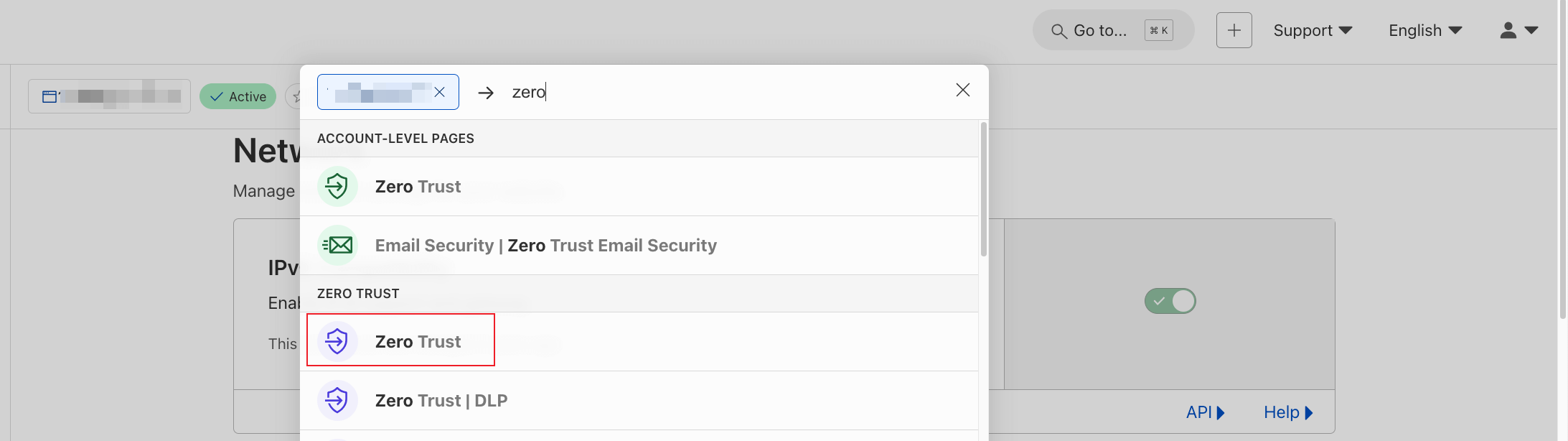
1. I couldn’t find the entrance so I directly searched for zero
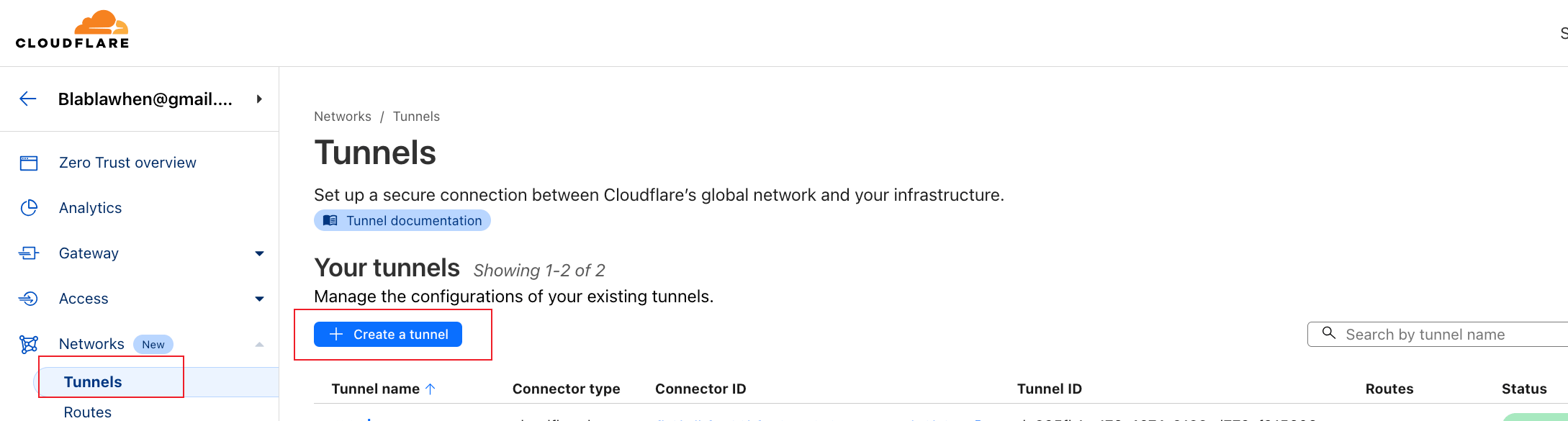
2. Create tunnel, name whatever you want, install cloudflared according to documentation
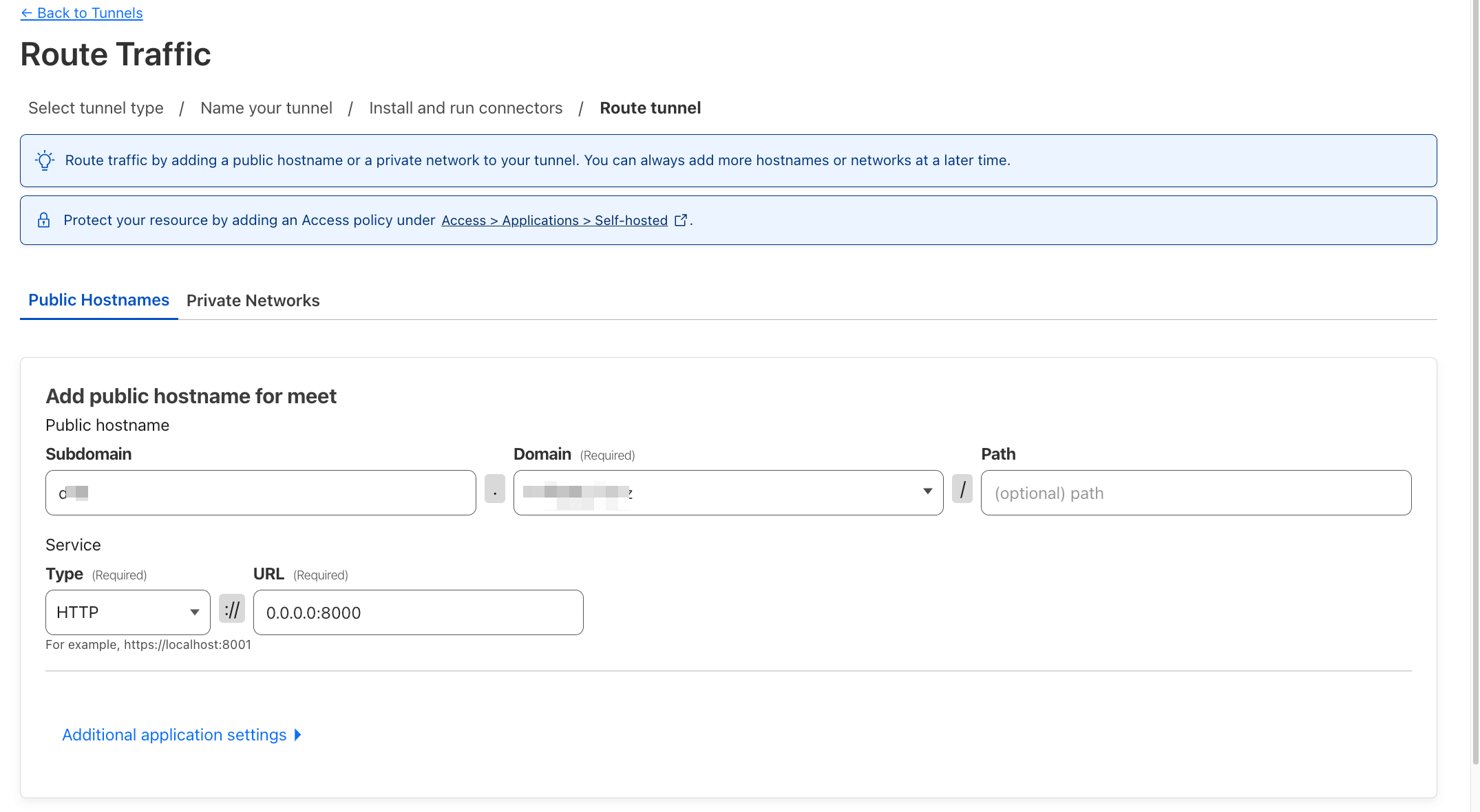
3. Settings

subdomain: fill in whatever you want domain: select your bound domain path: leave empty Type: selected HTTP URL: 0.0.0.0:3000
4. Use Tailscale to connect VPS and Mac mini

User -> Cloudflare -> VPS <-> Tailscale <-> Mac mini Seems a bit more stable, haven’t tested

Complete

It’s just that simple

URL can be changed anytime

Technology Network Cloudflare Tailscale Remote Access

Related posts

Mac mini M4 device photo

Mac mini M4 Remote Development Machine

Compared with current national subsidy price, bought early and lost big

Mar 15, 2025 8 min read
CDN and image hosting architecture diagram

Current Image Hosting and CDN Setup in Use

Sharing current image hosting and CDN setup

May 20, 2024 5 min read